Charging setups
Charging a Laptop and Phone on One Charger
One charger for both devices is a solved problem — but only if you read the port table instead of the number on the box. A 100 W charger with a phone plugged into the second port can leave the laptop at 45 W, and that is the charger working as documented, not failing.
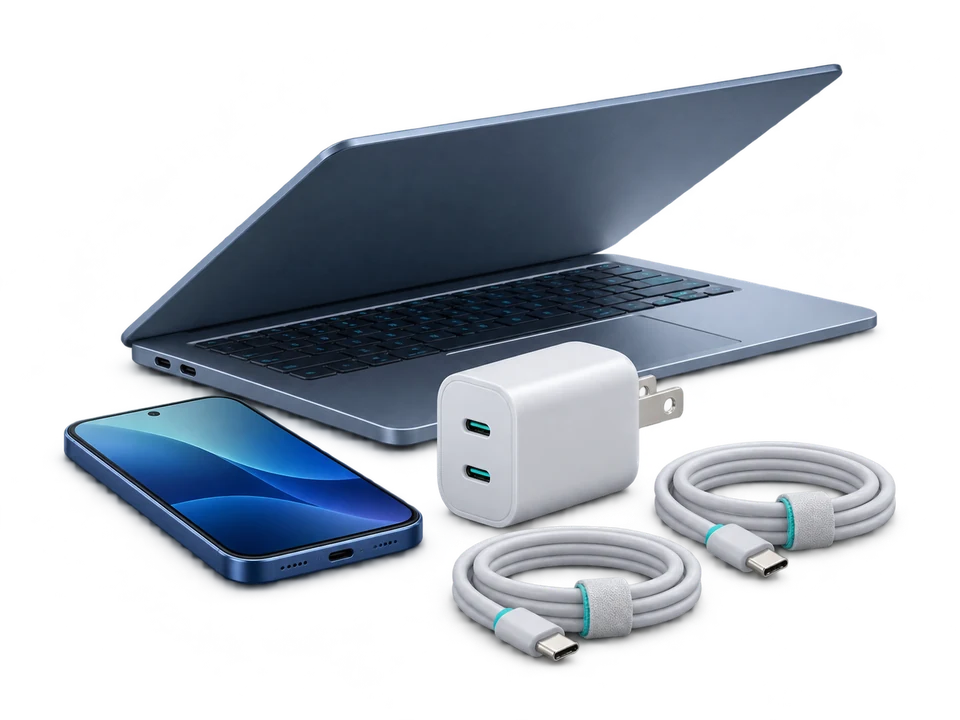
How ports share one power budget
A multi-port charger is not several chargers in one shell. It contains one power stage with a total output budget, and it distributes that budget across the ports according to rules written by the manufacturer. Three consequences follow, and every honest page on this subject has to accept all three:
- The budget is shared. When a second device is connected, the first port is re-planned. Sometimes it keeps its full profile; often it drops.
- The rules vary by model. Some designs give priority to one port — typically the one a laptop uses — and hand the remainder to the others. Others split more evenly. There is no universal rule, which is why the manufacturer's table is the only usable source.
- Total wattage is not per-port wattage. "100 W" describes the top of the budget. It says nothing about what one port delivers while two are in use.
One public example shows why the maker's document is the only usable source. Apple's support page for its 35W Dual USB-C Port Power Adapter states that "power is automatically distributed between them based on their power requirements", then gives example figures rather than a table: up to 17.5 W per port when a Mac laptop and an iPhone or iPad share the adapter, and up to 27.5 W plus 7.5 W when the second device is an Apple Watch or AirPods. Two devices, two different splits, no port-level rule published — so the guess "35 W, therefore 17.5 W each, always" is already wrong for the second case. Apple Support — How to use the 35W Dual USB-C Port Power Adapter, published 24 January 2026, read 9 November 2026.
Above the 60 W class a second constraint appears: the charge also depends on the cable being marked for that power. The USB-C cable guide covers it, and it is the cheapest thing to check first when a laptop charges slower than expected.
| Factor | Whose number it is | What it decides |
|---|---|---|
| Device demand | The device's own supply or spec sheet | The target: 60 W for this laptop, 20 W for this phone |
| Per-port allocation while both are in use | The maker's table | What each port still offers — the only figure that matters for the split |
| Total rating | The charger's headline wattage | Context only: whether the demand even fits the budget |
| Cable rating and marking | The cable's printed rating | Whether the port's offer can actually be carried above 3 A |
Check your own pair
Enter what the devices need and what the charger documents. Nothing is calculated until the required figures are valid.
Combined demand
- Laptop—
- Phone—
- Combined demand—
Port by port
Minimum parts list for this pair
Assumptions and limits
No charger models are listed on this page. Allocation tables differ between models and between revisions of the same model, so a preset would go stale silently. Every figure here comes from what you enter.
A worked pair
Laptop 60 W, phone 20 W, charger rated 100 W with a documented "C1 + C2: 45 W + 20 W" row. The phone port meets its 20 W need. The laptop port supplies 45 W against a 60 W target, so the laptop charges while working but slower than its own supply would manage — and it may not keep up under heavy load. Nothing about the 100 W total changes that; the table already decided it.
Two honest escapes exist, and neither requires a bigger number on the box: use the laptop port alone and charge the phone from a power bank, or choose a charger whose table shows a higher figure for the port the laptop uses. Both are visible before purchase — the table is part of the specification, not a footnote.
The shortest parts list that actually works
- One charger with at least two USB-C ports and a published per-port table. Total rating at or above the sum of your two devices as a floor, not as a guarantee.
- One cable for the laptop, rated and marked for the power the laptop needs. Below 60 W a 3 A cable is sufficient; above it, an unmarked cable silently caps the port at 3 A.
- One cable for the phone. A 3 A cable is enough unless the phone asks for more than 60 W, which is rare.
- One plug adapter for the destination socket if you travel. It changes pin shape only.
That is the whole list. Extra single-port adapters, extra chargers and "universal" travel kits add weight without changing what the ports can deliver.
One charger for all devices when travelling
The "one charger for all devices travel" idea fails for one reason only: the port table was never read. A charger with two USB-C ports and a documented split covers a laptop, a phone, a tablet and a camera in most trips, provided the laptop port keeps enough after the split. The two questions worth answering before you pack are therefore narrow: how much does the laptop need, and what does the charger still give that port when everything else is plugged in. The two inputs on this page are exactly those.
Travel adds a second, separate question about socket shapes and voltages, which belongs to the travel adapter finder and to the country guides such as Italy and South Korea. The two questions do not overlap, and mixing them up produces wrong purchases in both directions.
What this page will not tell you
- That a combination is incompatible. Missing table data produces Needs verification, not a verdict.
- How fast your laptop will charge. The laptop's own charging logic decides that, and it changes with load and temperature.
- Which charger to buy. There are no product links, prices or ratings anywhere on this site.
Related
- Charger wattage calculator — the same two-device check with generic labels.
- 65W vs 100W charger — whether the higher rating changes anything for your devices.
- USB-C charging cable guide — power classes and E-Marker requirements.
- Power bank calculator — if the phone will charge away from the outlet instead.
Sources
- USB Power Delivery specification — ports negotiate one profile each, and power above 3 A requires an electronically marked cable. Recorded in
docs/calculation-methods.md. - Manufacturer per-port allocation tables, as published by each charger maker. Not republished here, because they are model- and revision-specific.
- Apple Support — How to use the 35W Dual USB-C Port Power Adapter — quoted above as the one maker document found that describes a two-port split (17.5 W + 17.5 W, or 27.5 W + 7.5 W with a watch or earbuds, total 35 W) while still publishing no port-level rule. Published 24 January 2026, read 9 November 2026.
Method reviewed 9 November 2026. Every figure on this page is either your own input or printed on your own hardware.